How to Prepare Artwork for All-Over Sublimation Printing
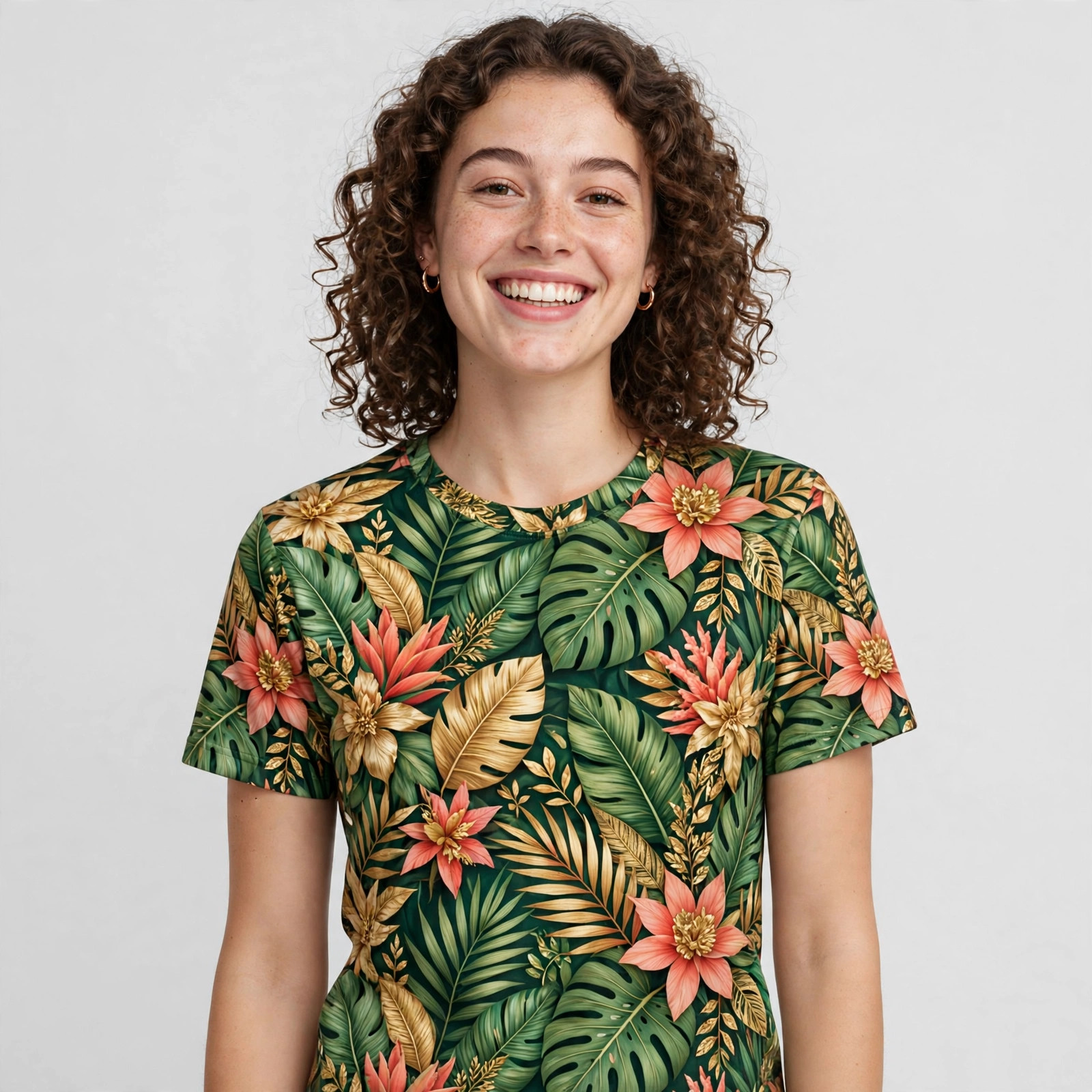
All-over sublimation prints a design into the fabric of a 100% polyester shirt, seam to seam. That freedom is the fun of the process — and the reason the artwork needs a little more thought than a standard chest logo.
Vector vs raster: what to send
- Vector files (AI, EPS, SVG, PDF) are made of shapes and lines rather than pixels, so they scale to any size without getting blurry. Logos, text, names and numbers should be vector whenever possible — they will print with crisp edges at full-shirt size.
- Raster files (PNG, JPG, PSD, TIFF) are pixel grids. They are the right format for photographs and painterly artwork, but they only print as sharply as their resolution allows.
A good rule of thumb for raster artwork: design at the actual size the artwork will cover, at around 300 DPI (dots per inch). A photo that looks fine on a phone screen can turn soft and fuzzy when it has to cover an entire shirt front. If you are not sure whether your file is big enough, send it anyway — at DYEWAVE we check every design at the proof stage and will flag artwork that is too low-resolution before anything is printed.
Design for the whole shirt, not a chest print
An all-over design is printed flat and then becomes a three-dimensional garment, so think of the shirt as one continuous surface:
- Let backgrounds run edge to edge. Gradients, patterns, textures and scenery should fill the entire canvas, so no awkward blank band appears at the sides or hem.
- Continue the design across the front and back. A horizon, a landscape or a pattern that wraps around the body looks intentional; unrelated front and back images can look like two different shirts.
- Treat sleeves as part of the picture. Sleeve space is real design space — a stripe, a name or part of the main image reads much better than empty fabric next to a busy front.
- Expect tiny shifts. Fabric moves slightly during printing and sewing, so exact alignment across a seam (a line that continues perfectly from front to back) is never guaranteed. Designs that tolerate a few millimeters of movement — patterns, textures, organic shapes — always come out better than rigid geometric alignments.
Keep key elements away from seams and the collar
The areas near seams, armpits, the collar and the hem are where fabric stretches, folds and shifts the most. A good rule of thumb is to keep faces, text, logos and anything that must look precise well inside the garment, away from those edges. Backgrounds and patterns can run right up to the seams; important content should not.
The same applies to names and numbers for team shirts: place them on the open back or chest area, not straddling a seam.
Color: screens glow, fabric doesn't
Your monitor displays color as light (RGB), and backlit screens make everything look brighter and more saturated than printed fabric can match. Sublimation inks are also transparent, which creates two practical expectations:
- Brightest on white and light fabrics. The fabric color shows through the dye. A design full of light pastels will glow on white and nearly disappear on a dark shirt. On darker fabrics, expect colors to deepen and mute.
- Very bright neon and exact brand matches are hard. Most designs print close to the screen version, but a small softening is normal. If one color is critical — a sponsor's brand color, for example — say so when you order, so it can be checked at the proof stage.
At DYEWAVE we offer 8 fabric colors and will tell you at proof stage if your design and fabric color do not work together, rather than printing something that disappoints.
The proof stage: your safety net
Before production, you receive a digital proof — a mockup showing how your design sits on the shirt. This is the step to slow down on:
- Check every word. Spelling of names, team names and sponsor names is the most common error, and it is invisible once printed.
- Check placement. Is the logo where you pictured it? Are names and numbers the right size and in the right place?
- Check the color/fabric combination. If the design looks washed out on the proof's fabric color, ask about a lighter fabric.
- Approve in writing. Nothing is produced until you approve the proof, so take the hour to look properly.
Common questions
What file format is best for an all-over design?
Vector (AI, EPS, SVG or vector PDF) for logos and text; high-resolution PNG or TIFF for photos and illustrated artwork. Send what you have — problems can be flagged at the proof stage.
How big should my artwork file be?
A good rule of thumb: full garment size at about 300 DPI for raster files. A small web image stretched across a shirt will print blurry; if in doubt, send the largest version you have.
Can my design continue across the seams?
It can cover the seams, and patterns or backgrounds do this beautifully. But exact line-up across a seam can't be guaranteed, because fabric shifts slightly — avoid designs that depend on perfect alignment.
Why can't I print a light design on a black shirt?
Sublimation dye is transparent and has no white ink, so the black fabric would show through and swallow light colors. Light designs need light fabric.
Ready to see your design on a shirt?
Send your artwork for a digital proof — batches of 10–200 custom sublimated polyester tees at dyewave.com, or hello@dyewave.us.